The trainer reads your controller or your keyboard directly and marks each attempt against the frame windows the drill research settled on. Pick a drill, perform it, release everything, and the verdict lands.
Nothing on this page talks to Tekken 8. It never sees the game's frame clock. It sees your device, at whatever rate the browser hands the device over, and every number below is bounded by that. The page states the limit in the verdict panel, where it would otherwise mislead you.
What it can measure, and what it cannot
A Tekken frame is 16.667ms. The browser reports your gamepad far faster than that while a drill is live, so an ordering the game would collapse into one frame is something this page can see in detail. What it cannot do is know which frame the game would have called it.
So "same frame" is a hardware criterion here, and the Verdict panel prints that criterion under the judge's lines:
- A gap of 8ms or less passes as same-frame. At that distance, two inputs landing on one 60Hz poll is close to certain.
- From 8ms up to a full frame, the line reads too close to call. The input may well have been perfect. The page will not award it, and it will not fail it either.
- Past a full frame, it is a miss, and the line says which move you got instead.
When a pad is connected, the same block prints sampling ±N.Nms with that
figure as a share of a frame. It is measured, not assumed: the adapter averages
the real gaps between snapshots, so the readout follows what your machine is
actually doing. A keyboard has no such caveat, because key events are delivered
as they happen; the page says keyboard capture is active (and frame-precise)
when no pad has been seen.
Browsers only reveal a gamepad after its first button press. If the page claims no controller, press something on it.
Before you start
The instructions above the panels are three lines. The detail sits in the disclosure beside them, Controls, and what a keyboard can't send, which is worth opening once.
Directions are the d-pad on a controller. On a keyboard they are the arrows,
WASD, or the leverless-style A S D with Space for up. Attacks default to
U I J K for 1 through 4, O for 1+2, L for 3+4, and P for the 1+3+4
taunt. All of the attack keys are remappable further down the page.
The rollover warning in that block is the part people get backwards. Most laptop
and membrane keyboards register two keys at a time. The multi-button binds are
one key each, so the taunt and the throw are among the safest things such a
keyboard can send. A diagonal is what costs you: holding df is already two
keys, so df+2 asks for three at once, and rebinding attacks does not help
because the two keys are the direction. The electric and every df or db
launcher need a controller or a keyboard with full n-key rollover.
Live feed
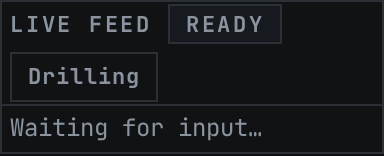
The left-hand column is the raw record of what reached the page. Each row is one
input, stamped +Nf from the first sample of the attempt, with the inputs shown
in your chosen notation. Inputs landing inside the same
frame are collapsed onto one row, which is what the game would do with them.
The chip in the header is the attempt state machine, and it is the fastest way to tell whether the page is hearing you at all:
- ready — nothing buffered.
- recording — input is arriving. The chip pulses once on the first sample, so the pulse is simultaneous with the press that caused it.
- judging — you have gone quiet, and the drill's own idle gap is running out. A bar drains across the chip over exactly the time remaining.
That idle gap is per drill. A single move waits a little longer than its own largest internal pause, so chaining five electrics counts five attempts. The two rep-counters wait 600ms, because a whole chain is one attempt there.
Between attempts the feed keeps the last one on screen, dimmed. The list is emptied the instant a verdict is reached, and blanking it at that exact moment was taking the record away from you just as you looked down to read it. The first input of your next attempt replaces it.
The button beside the chip swaps the controller between driving the site and driving the drill. On the pad itself that swap is Start and Select together. While the pad is in menu mode the trainer ignores it, and no verdict will chime or rumble.
Drill
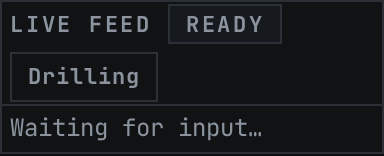
The top row of controls picks what you are practising and how it sounds.
drill lists every drill with its owner in front of the name, so the select
reads Kazuya / Devil Jin / Heihachi / Reina — Electric Wind God Fist. Where
naming the roster would be worse than naming the technique, the technique wins:
the wavedash reads Mishima — Wavedash.
P2 side (mirrored) flips which physical direction counts as forward. The mirrored inputs are genuinely different muscle memory, so a drill you have clean on one side is worth running on the other.
demo sound, demo speed and Play demo are the timing reference. The demo plays one note per input on the drill's real spacing, slowed to half speed by default so the gaps are audible. Each glyph in the timing strip at the bottom of the panel lights as its note sounds, so what you hear and what you read are the same thing. Metronome loops that demo on a period a little longer than its own run, and names the period so you know what you are drilling against.
Reset stats clears the session counters and the tier tally. It leaves the all-time line alone; those are per-drill bests and they persist.
Changing the drill, the difficulty or the side clears the session too. Each of those changes what an attempt is being measured against, so carrying the old counters forward would average two different things together.
The second row is how you are being marked.
difficulty adds a fixed tolerance to every window a judge enforces. strict (exact frame) adds nothing and is the real frame data. standard (forgiving)
adds 4ms, lenient (most forgiving) adds 8ms. Leniency widens upper bounds and
relaxes lower ones by the same amount, so an attempt a fraction of a frame off
can pass on an easier tier. It cannot manufacture an excellent, and it does
nothing at all on the two rep-counters, whose judges take no tolerance.
goal streak sets the target the progress bar under the verdict fills toward, between 1 and 99. Rumble on verdict gives a short strong pop on a pass and a longer soft buzz on a miss, on pads that have an actuator. Reward sounds escalate with the grade, and a consecutive run of clean or excellent passes climbs in pitch as it lengthens. Both go quiet the moment the controller is switched to menu navigation or a mapping session opens, and the sounds also stay quiet while the window is in the background or while you are typing in a field elsewhere on the page.
Under the controls sits the drill's own description, its character list, and a link to the Tekken 8 glossary, where the technique names come from. Drills are named for the move, so a reader who does not know what an instant while standing is has somewhere to go.
Suggested by your matches
Once you have imported a history, a row of drill buttons appears above the description. Your main's execution comes first, then the characters your priority board says are actually costing you rating, worst first. Press one and it loads. Whichever is in view explains why it was suggested.
A matchup too thin to be a finding is skipped, on the same floor the rest of the site uses, so a bad evening against one character does not put their drills in front of you. With nothing imported the row is absent: a recommendation with no history behind it would just be a list of drills wearing a heading.
Who the wavedash drill is for
The drill reads Mishima — Wavedash, and it names the technique rather than a roster on purpose.
A wavedash is a crouch dash whose recovery is cancelled back into another crouch dash. The frame corpus behind this site can say who owns a crouch dash, because such a character leaves a trace: a row at the motion itself, a move performed out of the dash, or a just-frame off it. Twelve characters leave one of those traces, and that list is re-derived from the corpus on every test run so a data refresh cannot leave it behind.
What the corpus cannot say is whether a given crouch dash loops the way a Wind God Step does. The only cancel destinations wavu records for those rows are the sidestep and block, so nothing in the data separates a dash that chains from one that is a single approach.
So the twelve names are real, but they answer a narrower question than the one you would ask them — they are who has a crouch dash, not who wavedashes — and printing them invited exactly that misreading. They still decide which characters the drill is suggested for, and they are no longer shown, because a list you cannot safely read is worse than the technique's own name.
The judging is unaffected either way. The cycle it counts is the same f, n, d, df regardless of whose hands are on it.
Verdict
The headline
A full-width bar across the top of the panel, and the first thing you should
read. It says MISS, or it says PASS with the grade attached:
- PASS — CLEAN: every check met outright.
- PASS — EXCELLENT: clean, and executed at the drill's own frame-tight timing. Excellence is judged strictly and never widened by the difficulty setting, so leniency can lift a miss to a pass but never to an excellent.
- PASS — PARTIAL: it passed, but at least one line landed inside the sampling tolerance and read as too close to call.
The bar keeps its box before the first attempt, so the panel under it does not jump when a verdict arrives.
The two rep-counters grade on a different scale. Wavedash and Korean backdash count reps and report a rhythm, so a wavedash with two clean cycles passes, and the grade word attached to that pass only says no tolerance warning fired. It is not a judgement on the rhythm. The cycle average and the jitter, printed on the line underneath, are the real answer there.
The stat row
One line, always with the same cells present, so the block does not change height mid-read:
- attempts and passed for this sitting, cleared by Reset stats.
- consistent, the share of the last twenty attempts that passed. It is a rolling window, so it moves faster than the raw pass rate and is the number to watch while you are changing something.
- streak and its best, the consecutive passes driving the goal bar.
- tiers, the sitting's passes split partial / clean / excellent.
Under it, when the drill has any history, an all-time line: best streak, best consistency, and lifetime attempts for this drill. Those are stored with your data and ride along in a backup.
The timeline
A piano roll of the attempt. Every input sits on a frame axis, so the spacing between presses is the execution timing you are drilling, read at a glance. Two markers at the same x landed on the same frame. The drill's demo is drawn as faint markers on their own track above, and the caption names them as the ideal timing.
The axis belongs to the drill, not to the attempt. It runs from frame zero to the demo's last input plus a quarter of the demo's own length, and it holds there for as long as you stay on that drill. That is what lets you compare two reps by eye. An axis that followed the attempt would stretch on a slow rep and slide every ghost marker left, so the one thing on the picture meant to hold still would be the thing that moved most.
An input past the end of the axis is pinned to the right edge and counted in the caption, and its own frame number is printed either way, so the pin hides nothing. A long chain shows only its most recent inputs, rescaled to that window, and drops the ghost track, because there is no single alignment across a dozen reps. The accessible label always lists every input regardless of what the picture trimmed.
On a phone
The trainer judges input frame by frame, and a touchscreen cannot produce that kind of input. On a touch device with no controller paired, everything that judges a press steps aside and one line says why, rather than the page laying out a difficulty picker and a goal streak and a Live feed that would stay empty.
What stays is what a phone can genuinely do: the drill list, so you can read what each technique is, and the demo, so you can hear its rhythm. The mapper stays too, since pairing a controller is the way out. Press any button on one and the whole page comes back.
Timing bias
When a judge measures a signed delta, the page folds it across the sitting and
prints the tendency: 2 vs df: +0.8f late on average (jitter ±0.5f over 30 reps). Positive is late, negative is early, and a mean that rounds to nothing
reads as on the mark.
Two numbers, because one of them cannot answer the question on its own. The
average says which way you lean. The jitter is the spread around it, and it
is the one that tells you what to practise: +1.2f late every single time is a
timing you can simply move, while +1.2f late with a jitter of three frames is
not a lean at all, it is inconsistency that happens to average out.
Nothing appears until a label has five attempts behind it. A mean over one or two is noise wearing a number's clothes, and this is the readout somebody is most likely to change their timing over. Changing drill or leniency clears it, since the deltas either side of that change are not measuring the same thing.
The judge's lines
Each check is one line, and each line leads with what you did before naming the
requirement: neutral 2.0f (need ≥1f). The mark in front comes from the check's
own result, never from the text, so the glyph and the colour cannot disagree,
and a screen reader hears the word for it. A failing attempt that never got far
enough to measure gets a single line saying where it stopped and what was
expected next.
The neutral is one true frame
Several drills ask you to release everything between two directions, and the
judge measures how long that release lasted. In f, n, d, df+2 it is the n.
The floor is one frame: 16.667ms. It used to be 20ms while the verdict lines said they wanted a full frame, so the trainer was asking for 1.2 frames and printing 1. The requirement is now written in the source as the frame constant itself, which is what stops the copy and the check drifting apart again.
The practical result is that the strict tier passes noticeably more often than it used to. Attempts failing on a neutral of 17 to 19ms were correct inputs held to a standard the game does not apply. Tombstone Pile Driver is the one drill whose pass rate did not move, because its own filter had been enforcing a true frame all along while its line claimed 20ms.
If your recent history on a drill looks better than you remember earning, this is why.
Button mapping

The mapper for the connected pad, inline on this page. Arm a Tekken action by clicking its row, then press the physical button you want for it. Pressing the real button is what makes this reliable on controllers whose button order the browser scrambles. The gamepad graphic beside the list is decoration; the list itself is the accessible record of what is bound.
When a pad is seen for the first time, the panel says so above the mapper and tells you which kind of unknown it is. A controller the browser has normalised to the standard layout gets a soft offer: the defaults should already work, so remap only if a button comes out wrong. A controller reporting a non-standard layout gets a firm one, because the browser is passing its buttons through in the device's own order and the face buttons are likely wrong.
Map controller starts a session and Done ends it. During a session the pad
binds buttons and drills nothing, and Start+Select together is the way out
using the controller alone. Reset to Tekken 8 defaults writes the standard
layout for this pad and saves it under the pad's own identity. The line at the
bottom names the pad and says whether a saved mapping is active or the default
layout is in play and unsaved.
With no controller seen yet, the panel says so and asks you to press a button on one, for the same reason as above: until you do, the browser will not admit the device exists.
Controller test (raw input) opens a live readout of everything the browser reports for every connected pad: each button's index, pressed state and analog value, each axis, and a latched maximum so one glance after pressing everything captures the whole device. It reads the same snapshots the drills are judged from, so it settles the question of whether an input the mapper cannot see is reaching the browser at all. It polls hard while it is open, which is why it is behind a toggle.
The controllers page covers what the site knows about devices in general, including how a controller gets recognised before you ever open this panel.
Keyboard mapping
The same arm-then-press flow for the keyboard's attack keys. Directions stay
fixed on the arrows, WASD, and the leverless A S D with Space, and are not
remappable. Reset to defaults restores the layout described at the top of the
page. Keyboard binds are saved with your data.
Getting here from the rest of the site
/trainer?drill=<key> opens straight onto a drill, and that is how the
priority board and the per-character matchup pages link in. Those
links only appear for a character that actually has a drill. Most of the roster
has none, and a row with nothing to practise stays quiet about the trainer
instead of sending you off to somebody else's move.
The parameter is read once, when the page loads. Picking another drill by hand is never clobbered by a stale parameter still sitting in the address bar.
What is stored
Per-drill bests, the pad mappings and the keyboard layout all live in your browser with the rest of your data, and all three travel in a backup. Restoring on a new machine brings your streaks and your mapped controller with it.